

 EN
 English
 Español
 عربى
Product Consultation
Your email address will not be published. Required fields are marked *
Dual monitor arms look simple in photos: two screens floating above a clean desk, with no bulky stands and no cable clutter. In real offices, the details matter. A pair of 27-inch displays can behave very differently from a lightweight 24-inch pair, and a desk that looks sturdy can still flex under a clamp. After more than two decades of building mounting hardware, we have learned that the best dual monitor arm desk setup is the one that matches the screens, the work surface, and the way you actually move during the day.
This guide walks through the decisions that matter most before you buy or install a dual monitor arm, from weight and VESA patterns to clamping, spring tension, and everyday ergonomics. The goal is not to chase the largest or most complicated arm. It is to create a stable, comfortable workstation that quietly does its job.
Content
Before comparing arm designs, measure the displays. The most common mistake is to check the screen diagonal and stop there. A dual monitor arm needs to support the actual weight of each monitor without its original stand, and it needs enough reach to place both screens at a comfortable viewing distance.
Write down four details for each monitor: panel width, weight without the stand, VESA hole pattern, and the position of ports and buttons. Most office displays use 75 x 75 mm or 100 x 100 mm VESA patterns, but curved and ultrawide models can shift the center of gravity forward. That extra leverage may require a stronger arm, a more rigid tilt joint, or a different mounting position.
If you are pairing 17-32 inch displays, a dual arm with independent height adjustment can make alignment much easier. The screens do not have to be identical, but each arm should be rated for its monitor. Never rely on the total capacity alone if one screen is much heavier than the other.
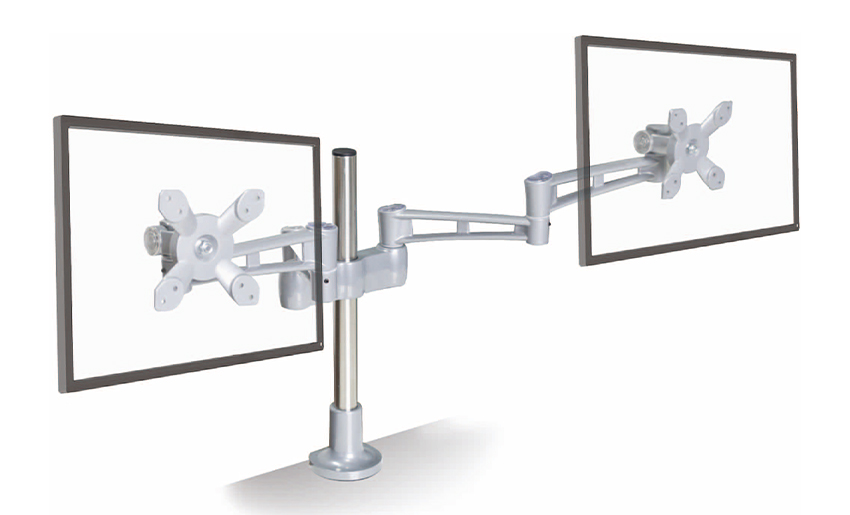 Aluminum Height-Adjustable Dual Monitor Arm for 17–32 Inch ScreensDesk-mounted aluminum dual arm supports two 17–32 inch monitors with height adjustment; verify desk surface and each arm’s monitor weight.View Product →
A dual monitor arm desk mount is only as secure as the surface it grips. Clamp mounts are popular because they are easy to install and reposition, but they concentrate force on a small area. Check the desk thickness range, the distance from the edge to any frame or drawer, and whether the underside is flat. Hollow-core desks, thin glass tops, and desks with a deep bevel may need a reinforcement plate or a different mounting method.
Grommet mounts pass through an existing cable hole and can be neater on shared desks. They still require a solid area around the hole and enough clearance underneath. Wall mounts are useful when the desk cannot take a clamp, but they remove the ability to move the whole setup later. In all cases, route cables with enough slack for movement. A tight cable can pull a monitor out of position or strain a connector.
For smaller 17-27 inch pairs, a compact dual mount can keep the installation tidy without overwhelming the desk. Just confirm that the clamp opens wide enough for your work surface and that the arm can fold back without hitting a wall, shelf, or partition.
 Compact Dual Monitor Mount for 17–27 Inch ScreensSpace-saving dual arm for two 17–27 inch monitors with VESA mounting, cable management, and adjustable viewing angles; confirm clamp width and fold-back clearance.View Product →
Movement style is a personal choice, but it should follow the work. Gas spring arms use internal pressure to balance the monitor, making height changes feel light and smooth. They are helpful in shared workstations or sit-stand setups where the screen position changes often. The trade-off is that spring tension must be adjusted for the monitor weight. A spring set too light will drift upward; one set too heavy will sink or resist movement.
Mechanical arms use joints, friction, or a fixed structure. They may feel firmer and require less tuning, which can suit a dedicated desk where the screens stay in one place. Fixed supports are the simplest option, but they offer less flexibility for different users or tasks. Whichever type you choose, look for independent tilt, swivel, and height adjustment on each side. A shared center post can be fine, but separate arm tension makes it easier to align two different monitors.
If you often move one screen forward for focused work and push it back for meetings, a gas spring dual arm with adjustable tension is a practical fit. Set the tension with the monitor installed, and make small changes until the arm holds position without drifting.
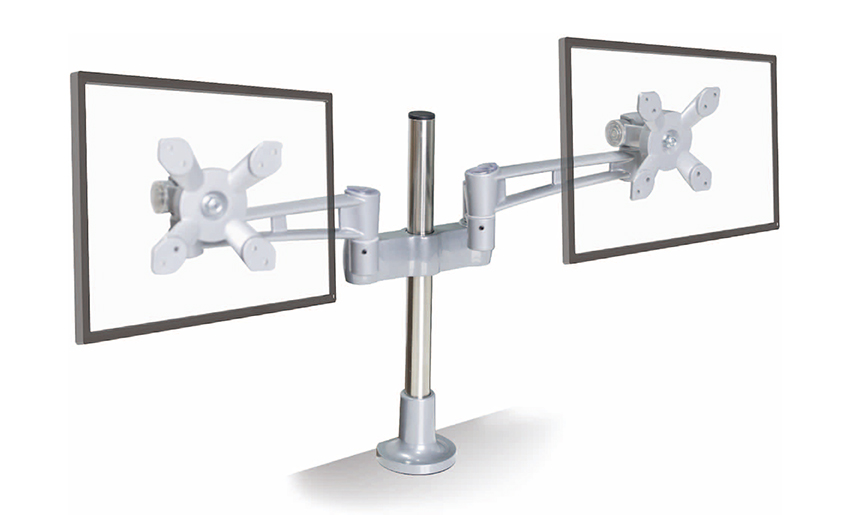 Gas Spring Dual Monitor Arm for Ergonomic AdjustmentGas spring dual arm enables smooth height, tilt, and rotation adjustment; adjust tension to monitor weight and confirm VESA plate access.View Product →
VESA compatibility is necessary, but it is not the whole story. The mounting plate should sit flush or use the correct spacers, and the release mechanism should be reachable without removing the monitor from the arm. Quick-release plates can make installation and cleaning easier, especially when two screens are close together. Check that the tilt range is enough for your seated eye level and that the arm can hold the tilt after adjustment.
Cable management deserves more attention than it usually gets. Two monitors mean at least two video cables, two power cords, and possibly USB or audio cables. Integrated channels help, but they should not force sharp bends. Leave a service loop near each monitor so the cable can move with the arm. For a broader installation walkthrough, see our guide to monitor arm desk mounts before you drill or clamp anything.
Installation is easier with a second person, but a careful solo setup is possible. Remove the monitors from their stands, attach the VESA plates, and prepare the desk clamp before lifting the screens. Protect the desk surface with a cloth, and keep the Allen keys within reach. Once the arm is mounted, add the lighter monitor first if the arms are independently rated.
After the first week, notice whether you are pushing the screens away or leaning in. Small adjustments to height, tilt, and spacing often make more difference than a new chair. Keep the most-used screen directly in front of you, and place the second screen at a slight angle rather than forcing both into a flat line.
The most frequent problems are predictable: an arm rated for the total weight but not for one heavy monitor, a clamp on a weak desktop, or two screens set so close that their bezels touch. Measure first, leave room for movement, and choose an arm that can be adjusted after installation. A dual monitor arm desk setup should reduce strain, not create a new daily battle with drifting screens.
| Check | What Good Looks Like | Why It Matters |
|---|---|---|
| Weight rating | Each arm supports its monitor with a safe margin | Prevents drifting, sagging, and joint wear |
| VESA pattern | 75 x 75 mm or 100 x 100 mm confirmed on both screens | Avoids returns and unsafe adapter fixes |
| Desk clamp | Flat underside, correct thickness, and a reinforcement plate if needed | Keeps the arm stable and protects the desk |
| Range of motion | Independent tilt, swivel, and height adjustment | Makes alignment and daily comfort easier |
A dual monitor arm is a small piece of furniture with a large effect on how a desk feels. When the weight, VESA fit, clamp, and spring tension are right, the hardware disappears into the background. You sit down, move the screens where you need them, and get to work. That quiet reliability is the real standard to aim for.
Take a few measurements, check the desk underside, and choose an arm that leaves room for adjustment. A thoughtful setup today is easier to live with than a rushed one that needs to be rebuilt next month.
Your email address will not be published. Required fields are marked *
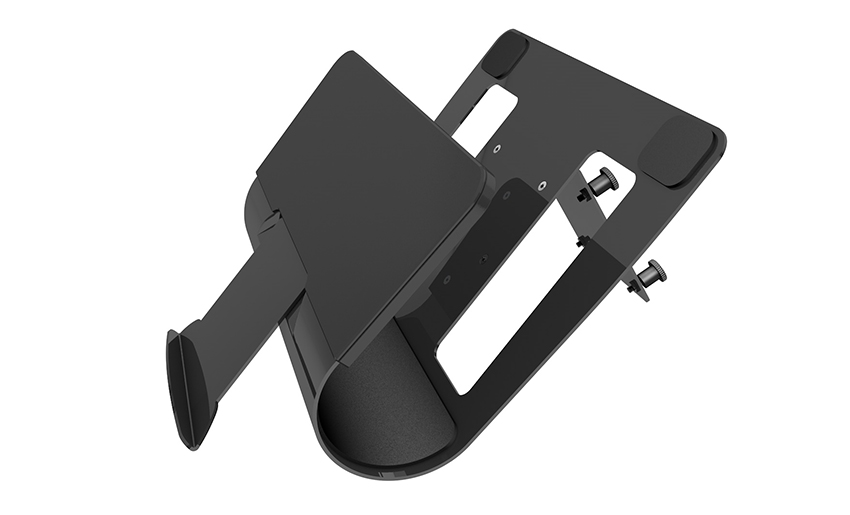
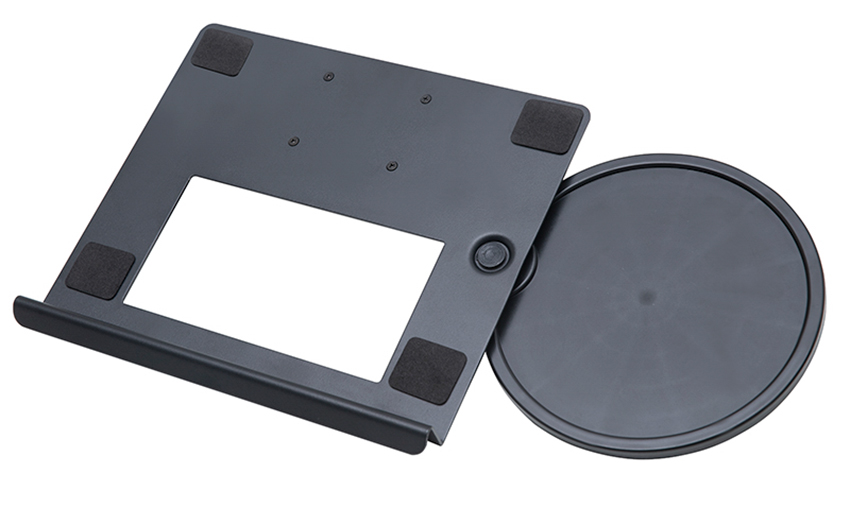
A Home Office Foldable Laptop Notebook Computer Tr...
See Details
One of the key features of this monitor arm is its...
See Details
Revolutionize your work setup with the Aluminum &a...
See Details
This sleek and sturdy arm is designed to securely ...
See Details
Address: No 3098 Shuanglong Rd, Daqiao Town 314006, Nanhu Area,Jiaxing city, Zhejiang Pro, China
Tel: +86-0573-83222192
Fax: +86-0573-83225688
URL: www.jxjmly.com
Email: [email protected]
Copyright © JIAXING JINMAO ALUMINUM INDUSTRY CO., LTD.All Rights Reserved. Monitor Arms Desk Mount Manufacturers Wholesale Monitor Brackets Suppliers
