

 EN
 English
 Español
 عربى
Product Consultation
Your email address will not be published. Required fields are marked *
Two monitors can double your view, but they can also double the clutter. If your screens sit on their factory bases, the desk disappears under cables, keyboard, and coffee cups. A desk dual monitor arm is a practical way to lift both displays, free the work surface, and tune each screen to your body instead of forcing your body to fit the desk. We have spent more than 20 years designing and die-casting ergonomic mounting hardware, and the lessons are consistent: the best arm is the one that fits your monitors, your desk, and the way you actually work.
Content
A dual arm replaces two footprint bases with one clamp or grommet mount. That frees desk area for your keyboard, notebook, lamp, or simply breathing room. It also lets you align screens at the same height and angle, so your eyes move between them without a constant head tilt. Neatness is only part of the benefit.
Ergonomically, the win is not just a tidier desk. When the top third of each screen sits near eye level, your neck and shoulders work less. A dual arm also lets you push both screens back when you need space for paperwork, then pull them close for detailed work. For shared desks, quick repositioning matters because two people rarely need the same screen height or distance.
Before comparing features, check four numbers: VESA pattern, monitor weight, screen size, and desk thickness. Most monitors use a 75 by 75 mm or 100 by 100 mm VESA pattern. Each arm has a per-screen weight range. Go too light and a gas spring can feel stiff; go too heavy and the screen may sag. Screen size matters because arm reach and tilt range must clear the desk edge and any wall behind it.
Curved monitors need a little extra thought because their deeper profile changes balance and viewing distance. If you use 17 to 32 inch screens, look for a dual arm with enough reach and independent tilt and swivel. A fixed-height dual mount can work well when both users are the same height, but height-adjustable arms are easier to live with on a shared desk.
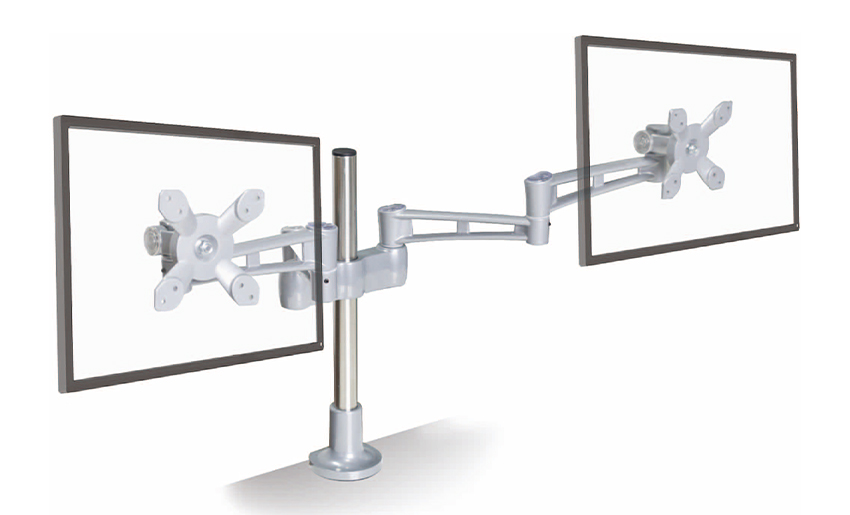 Aluminum Height-Adjustable Dual Monitor Arm for 17–32 Inch ScreensFor shared desks and mixed 17–32 inch screens, this aluminum dual arm offers height adjustment and a desk clamp to align monitors.View Product →
Our aluminum height-adjustable desktop dual arm for 17 to 32 inch monitors follows that fit-first idea: two arms, a desk clamp, and enough adjustment to align mixed screens without forcing the desk into a single fixed layout.
The desk side matters as much as the monitor side. Check desk thickness and whether the edge can take a clamp. Some desks have a lip or steel frame that blocks a clamp, while others are better suited to a grommet mount. Thin or hollow tops may need a reinforcement plate. Keep the clamp away from drawers, and leave enough room behind the desk for cable routing and movement.
Reach is simple geometry: arm length, monitor depth, and desk depth. A long arm can push screens far back, but if the desk sits against a wall you may not have clearance. Also check whether the arm clears privacy panels, shelves, or a window ledge. Cable management should run along the arm with enough slack for height changes.
 Clamp-Style Dual Monitor Mount for 17–27 Inch ScreensA space-saving VESA-compatible dual arm with independent adjustment and cable management, useful for compact 17–27 inch desk setups.View Product →
For compact 17 to 27 inch setups, a clamp-style dual mount with independent arms can be a sensible starting point. It keeps the footprint small and lets each screen sit at its own angle. When you are ready to fit it, our step-by-step guide to installing a dual monitor desk mount walks through clamp placement and monitor attachment.
Adjustment style changes how the arm feels every day. Gas spring arms use internal pressure to balance weight, making height changes easy. Mechanical spring arms use a spring and tension screw; they are often more affordable and still adjustable. Fixed-height or pole-based dual mounts are simple and stable, but less flexible when users change posture or share a workstation.
| Style | Best for | What to Check |
|---|---|---|
| Gas spring dual arm | Frequent height changes, shared desks, and mixed users | Confirm the weight range and tension adjustment, then test for drift. |
| Mechanical spring dual arm | Budget-conscious setups with stable users | Check tension screw access and smooth movement through the range. |
| Pole or fixed-height dual mount | Tight budgets, identical users, and minimal reconfiguration | Verify pole height, VESA plate tilt range, and cable clearance. |
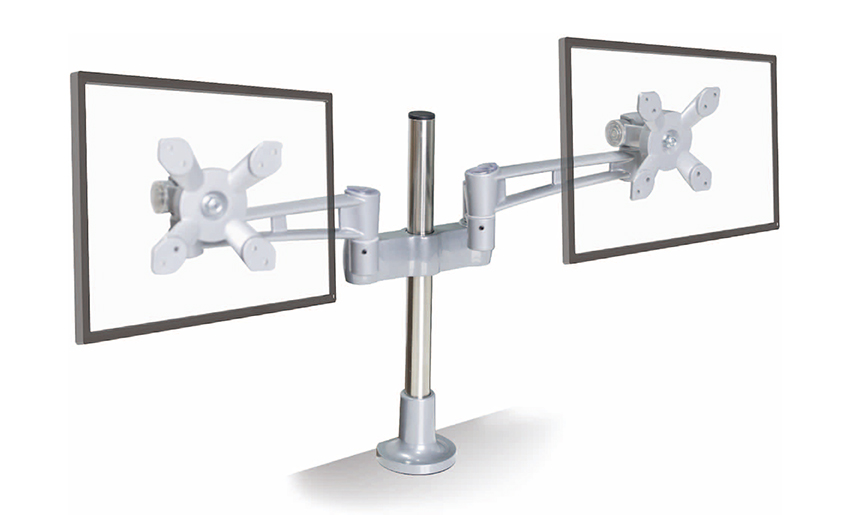 Gas Spring Ergonomic Dual Monitor Arm for Frequent AdjustmentsSmooth gas spring height, tilt, and rotation adjustment make this dual arm suitable for shared desks or users who change posture often.View Product →
If you change posture often or share the desk, gas spring is usually the easiest to live with. A model such as our gas spring ergonomic dual monitor arm is built around that daily push-pull rhythm, so small adjustments do not turn into a project.
Finally, check stability. Push gently and watch for wobble at the clamp or sag at the elbow. If a monitor droops, recheck its weight and spring tension before assuming the arm is faulty. A well-set dual arm should stay where you put it and move without a hard shove.
A desk dual monitor arm should disappear into your workday. You should notice the extra space, the easier screen height, and the fact that your neck is not craning. Start with measurements, choose the adjustment style that matches how often you move your screens, and take the install slowly. When the fit is right, two monitors feel less like equipment and more like a comfortable, useful desk.
Your email address will not be published. Required fields are marked *
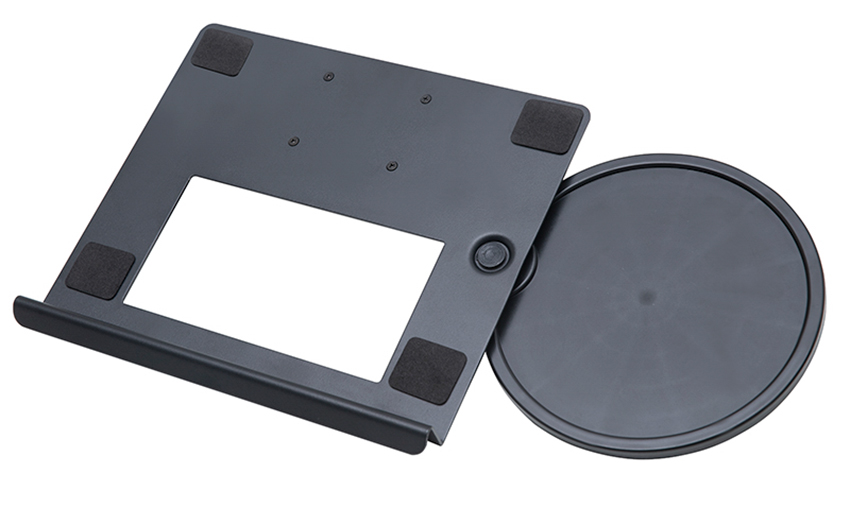
A Home Office Foldable Laptop Notebook Computer Tr...
See Details
One of the key features of this monitor arm is its...
See Details
Revolutionize your work setup with the Aluminum &a...
See Details
This sleek and sturdy arm is designed to securely ...
See Details
Address: No 3098 Shuanglong Rd, Daqiao Town 314006, Nanhu Area,Jiaxing city, Zhejiang Pro, China
Tel: +86-0573-83222192
Fax: +86-0573-83225688
URL: www.jxjmly.com
Email: [email protected]
Copyright © JIAXING JINMAO ALUMINUM INDUSTRY CO., LTD.All Rights Reserved. Monitor Arms Desk Mount Manufacturers Wholesale Monitor Brackets Suppliers
