

 EN
EN
 English
 Español
 عربى
عربىProduct Consultation
Your email address will not be published. Required fields are marked *
Content
If your workspace feels cramped or you are tired of neck pain from looking down, swapping out your factory stand for a dedicated monitor mount is one of the most effective upgrades you can make. A proper computer screen mount clears up valuable desktop real estate and puts your display at the exact eye level your posture demands. Before you buy the first ergonomic display mount you see online, you need to understand how weight capacity, clamp thickness limits, and adjustment ranges actually match your daily habits.
Every modern display uses a standardized mounting grid called VESA, which usually comes in four screw hole configurations. You will find the measurement printed directly on the back of your screen or buried in the user manual. Matching a desk clamp screen holder to a 75x75 millimeter grid when your monitor actually requires 100x100 will waste your time and possibly damage the plastic casing. Bring a small ruler to the back of your PC setup, measure the distance horizontally and vertically between the screw centers, and write that number down before browsing product pages.
The way your bracket attaches to the desk completely changes the stability of the whole setup. Clamps grip the outer edge of your desk surface and work best on tables that do not have a lip or crossbar underneath. Grommet brackets require a pre-drilled hole but often provide a much wider range of motion because the mounting base sits completely flat inside the table frame. Use the comparison table below to decide which attachment method fits your current furniture.
| Mounting Type | Best Desk Thickness | Movement Range | Installation Difficulty |
| Edge Clamp | 1 to 2.5 inches | Wide reach, slight wobble risk on thin desks | Easy, just tighten bolts |
| Grommet Hole | 0.5 to 4 inches | Maximum stability, full swivel | Moderate, requires drilling if no hole exists |
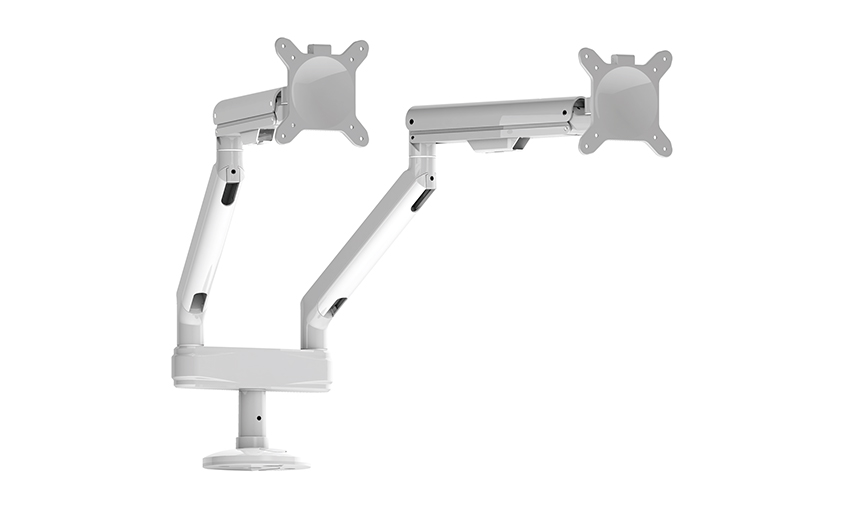
Mounting a heavy display might look intimidating on paper, but the actual process only takes about twenty minutes if you organize your hardware first. Keep the original monitor box nearby just in case you need to swap parts or return the adjustable monitor arm, and make sure you have enough floor clearance so you do not drop your screen during the initial attachment.
Clear a large flat area on the floor or use a soft blanket to protect your desk surface. Lay out every washer, spacer, and bolt from the mounting kit. Most VESA mount bracket packages include a hex key that matches the tension screws, so you rarely need to hunt for extra tools. Pre-assemble the desktop clamp or grommet base according to the instruction manual before lifting your heavy display near the edge.
Slide the mounting plate onto your desk clamp, but do not fully tighten the joint just yet. Lift the display carefully and align the back holes with the quick release plate until you hear a solid click. Run the following checklist to finish the setup without creating a tangled mess later:
Even the highest rated computer screen mount can act up during the first week if the tension settings do not match your display weight. A screen that slowly tips forward usually means the gas cylinder is set too loose, while a display that refuses to tilt down indicates excessive tension. Turn the adjustment screw on the arm one quarter at a time and let the mechanism settle before testing again.
Standard single arm brackets often struggle with thirty-four inch curved monitors because the center of gravity shifts farther forward as you tilt the screen. If you notice persistent wobbling, upgrade to a dual pillar monitor mount or add a vertical support plate that connects directly to the back of the ultrawide panel. Always verify the dynamic load rating on the product specification sheet, because static weight limits do not account for the extra leverage generated by wide aspect ratio displays.
Your email address will not be published. Required fields are marked *
A Home Office Foldable Laptop Notebook Computer Tr...
See Details
One of the key features of this monitor arm is its...
See Details
Revolutionize your work setup with the Aluminum &a...
See Details
This sleek and sturdy arm is designed to securely ...
See Details
Address: No 3098 Shuanglong Rd, Daqiao Town 314006, Nanhu Area,Jiaxing city, Zhejiang Pro, China
Tel: +86-0573-83222192
Fax: +86-0573-83225688
URL: www.jxjmly.com
Email: [email protected]
Copyright © JIAXING JINMAO ALUMINUM INDUSTRY CO., LTD.All Rights Reserved. Monitor Arms Desk Mount Manufacturers Wholesale Monitor Brackets Suppliers
